
Quick start
Register, create a knowledge base, configure models, upload documents, and ask a question to complete your first knowledge-base Q&A with citations to sources. Steps below use the web UI; API examples are at the end.
Finish installation first and have a working chat model and embedding model.
Need help?
Open the GsKnora Assistant in the sidebar to search product docs, check parse results, or get configuration guidance. On first use, choose “read-only” or “confirm before changes” to review scope.
Before you begin
- Start services: after installation, frontend is at
http://localhost, backend athttp://localhost:8080; - Model credentials: local Ollama (default in container
http://host.docker.internal:11434) or any OpenAI-compatiblebase_url+api_key. You need at least one chat model and one embedding model; - Health check:
curl http://localhost:8080/healthshould return{"status":"ok"}.
Register and sign in
First visit shows the login page. When public registration is allowed (self_serve), the register tab appears; there is no default account. By default, registration creates a personal workspace and makes you Owner.
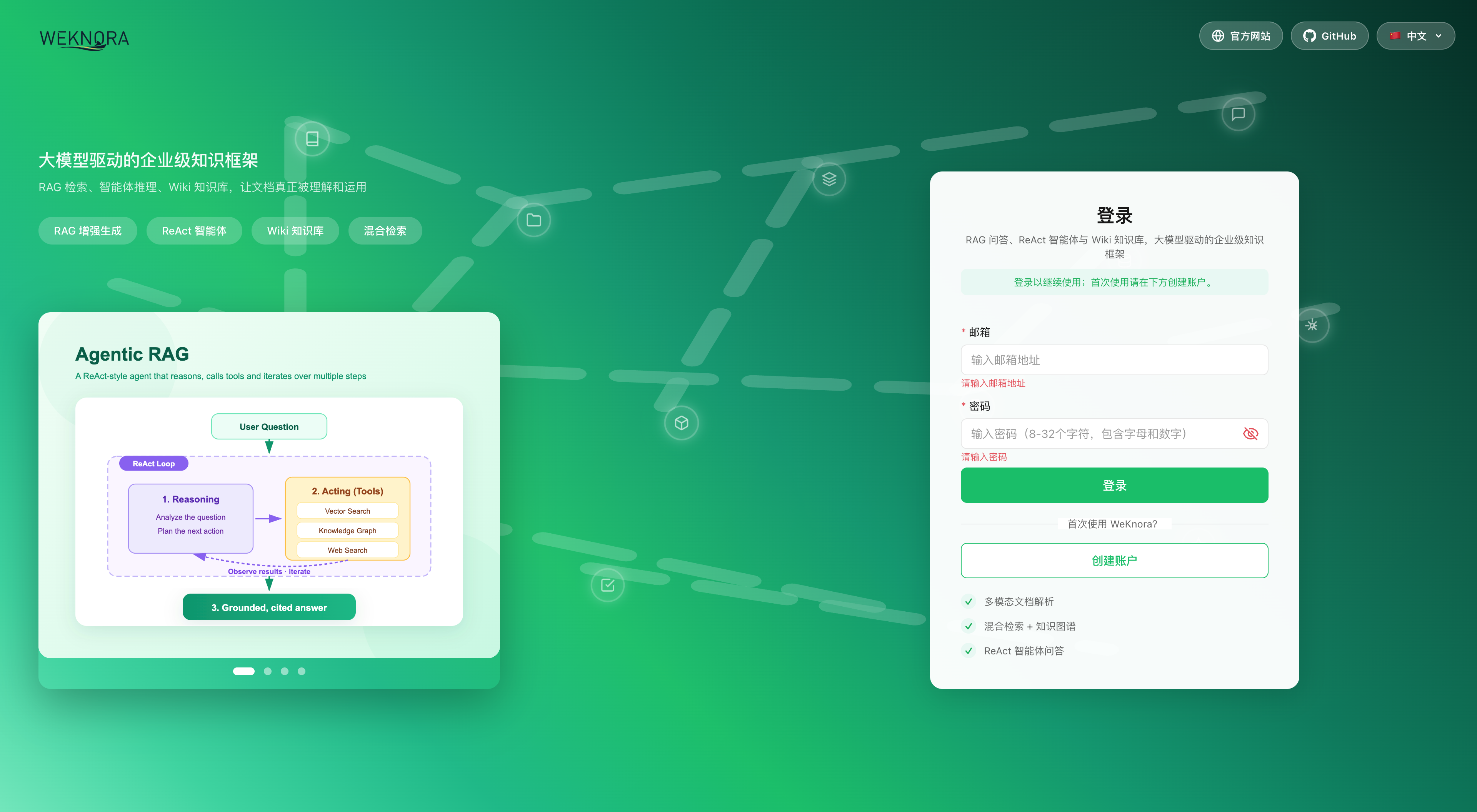
Rules and deployment differences:
- Username 2–50 characters; password 8–32 with letters and numbers. With complex password policy enabled, uppercase, lowercase, and special characters are required (UI and API use the same rules);
- For team deployments with invite-only signup, a system admin sets
auth.registration_modetoinvite_registerunder Settings → System (immediate effect).invite_only/DISABLE_REGISTRATION=truedisables password registration; invites cannot create accounts either—existing accounts can only join after login; - If
auth.default_tenant_modeistenantless, registration does not create a workspace; you are sent to/onboarding/workspaceto create or join one; - The desktop app skips registration and auto-creates a local account on launch; Lite single binary in the browser still requires register and login.
Workspace vs platform
Workspace Owners manage members, models, and knowledge bases in their space. Global system settings, platform job queues, and cross-tenant audit require system administrator—separate grants.
For the first system admin: register, then set WEKNORA_BOOTSTRAP_SYSTEM_ADMIN_EMAIL=<that email> on app and restart. Applies only while no system admin exists. See Platform admin.
Create a knowledge base and configure models
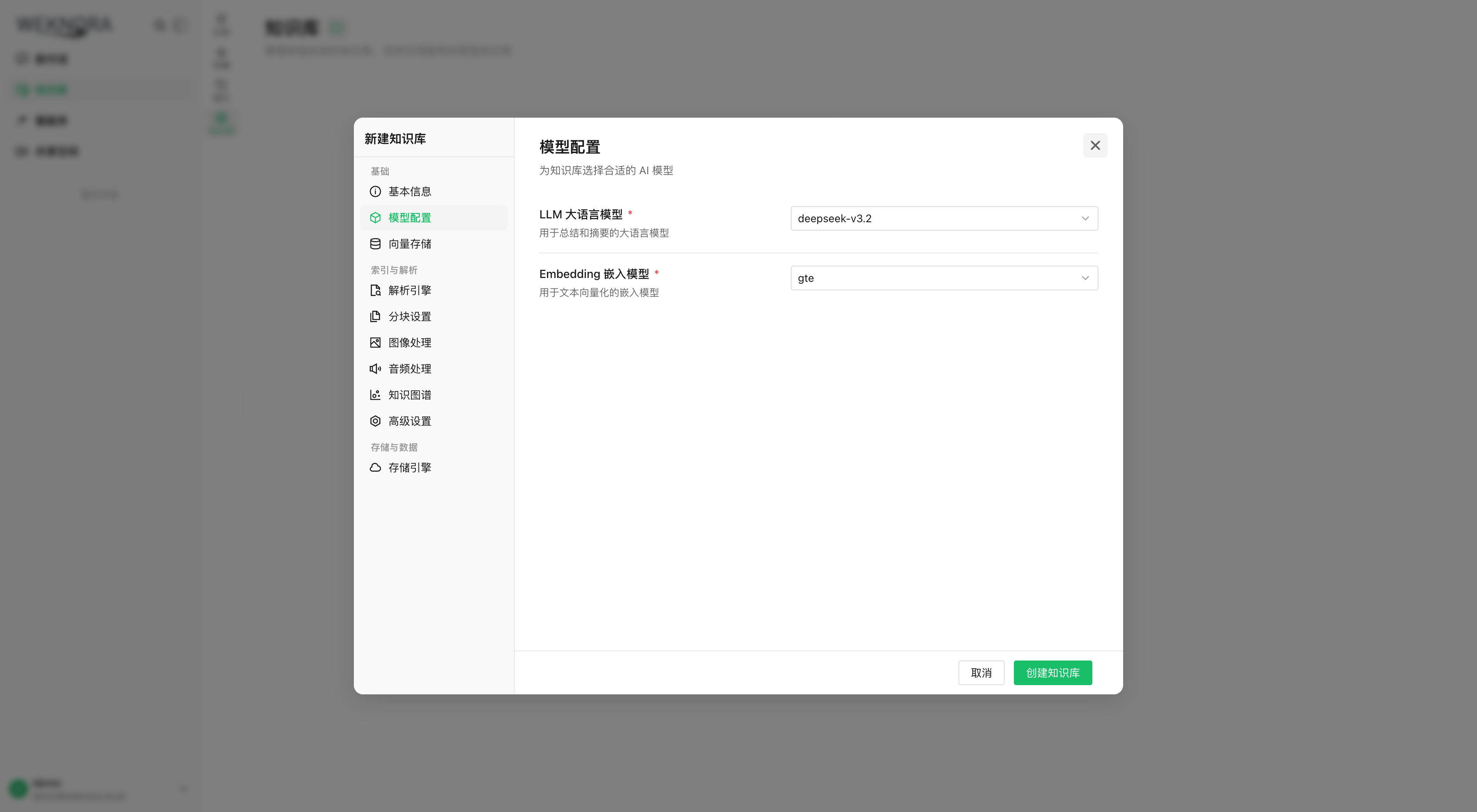
On Knowledge bases, create a base; the init wizard guides model selection per base.
- New base: name and type
document(documents) orfaq(Q&A pairs); - In the wizard:
- LLM: generates answers;
- Embedding: document vectors; changing it requires re-indexing;
- Rerank, VLM, ASR, graph extraction, and question generation as needed;
- Use Test in the wizard to verify connectivity, then save.
Ollama from a container
Inside the backend container, localhost is the container itself. For Ollama on the host, use http://host.docker.internal:11434.
Upload documents
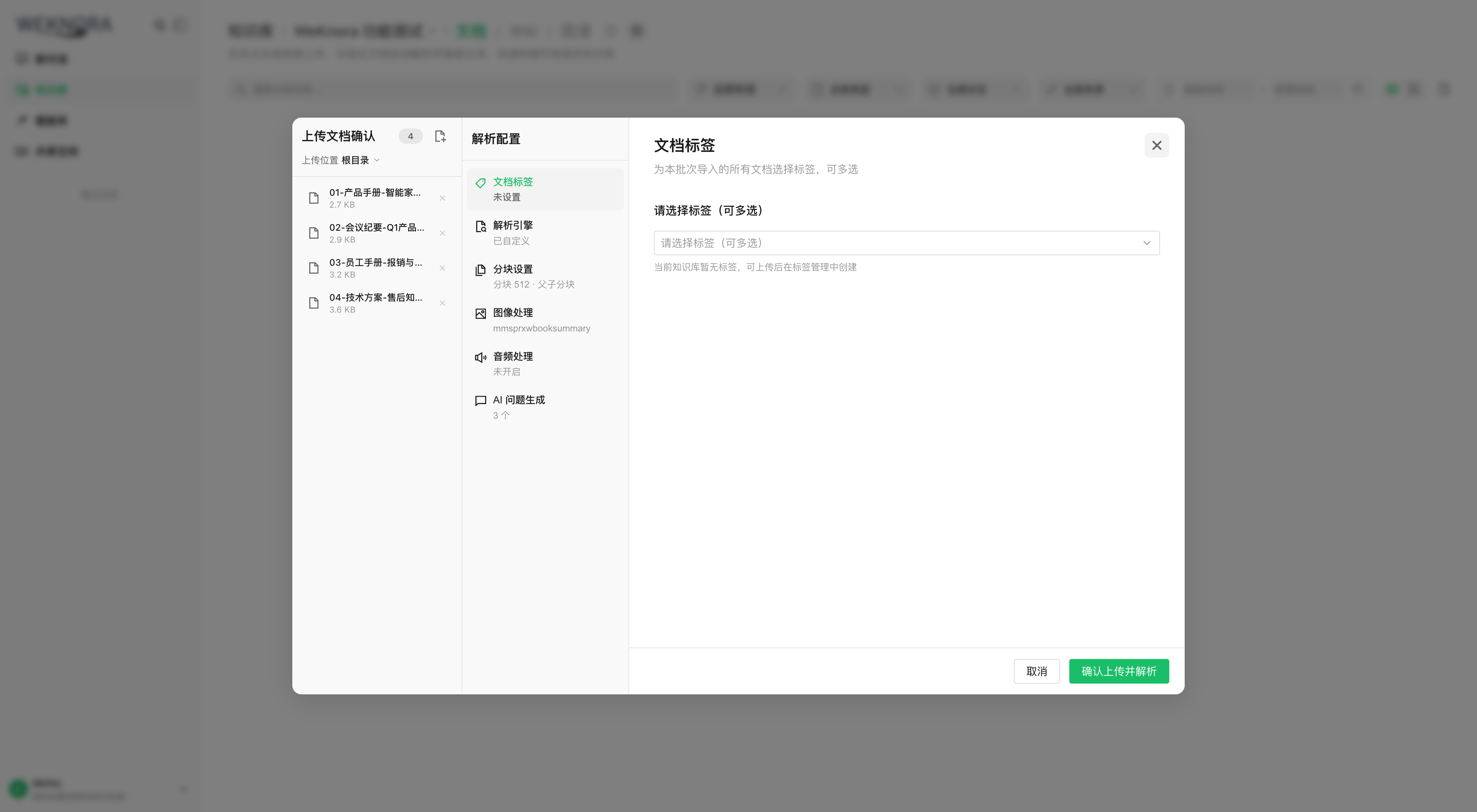
Open the knowledge base, drag files or paste a URL. The upload dialog lets you set tags and parsing options for the batch.
Supported formats include PDF, Office, Markdown, HTML, EPUB, images, audio, etc.—full list in Document parsing.
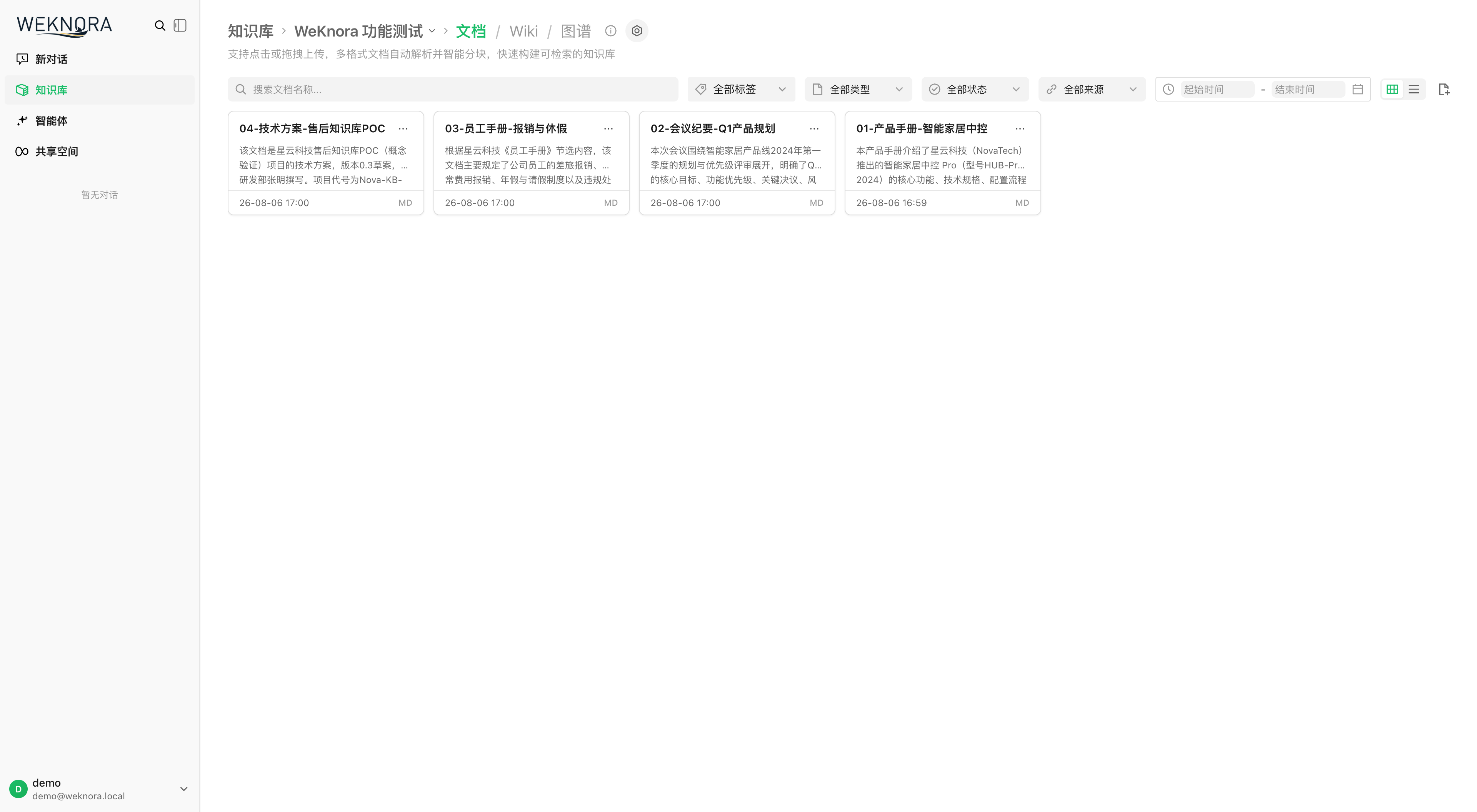
Parsing is async: pending → processing → finalizing → completed. Scanned PDFs and large files take longer; the list refreshes progress.
Ask a question
Open chat, select the knowledge base, and ask. The default Quick answer agent retrieves passages and answers; click citations for sources.
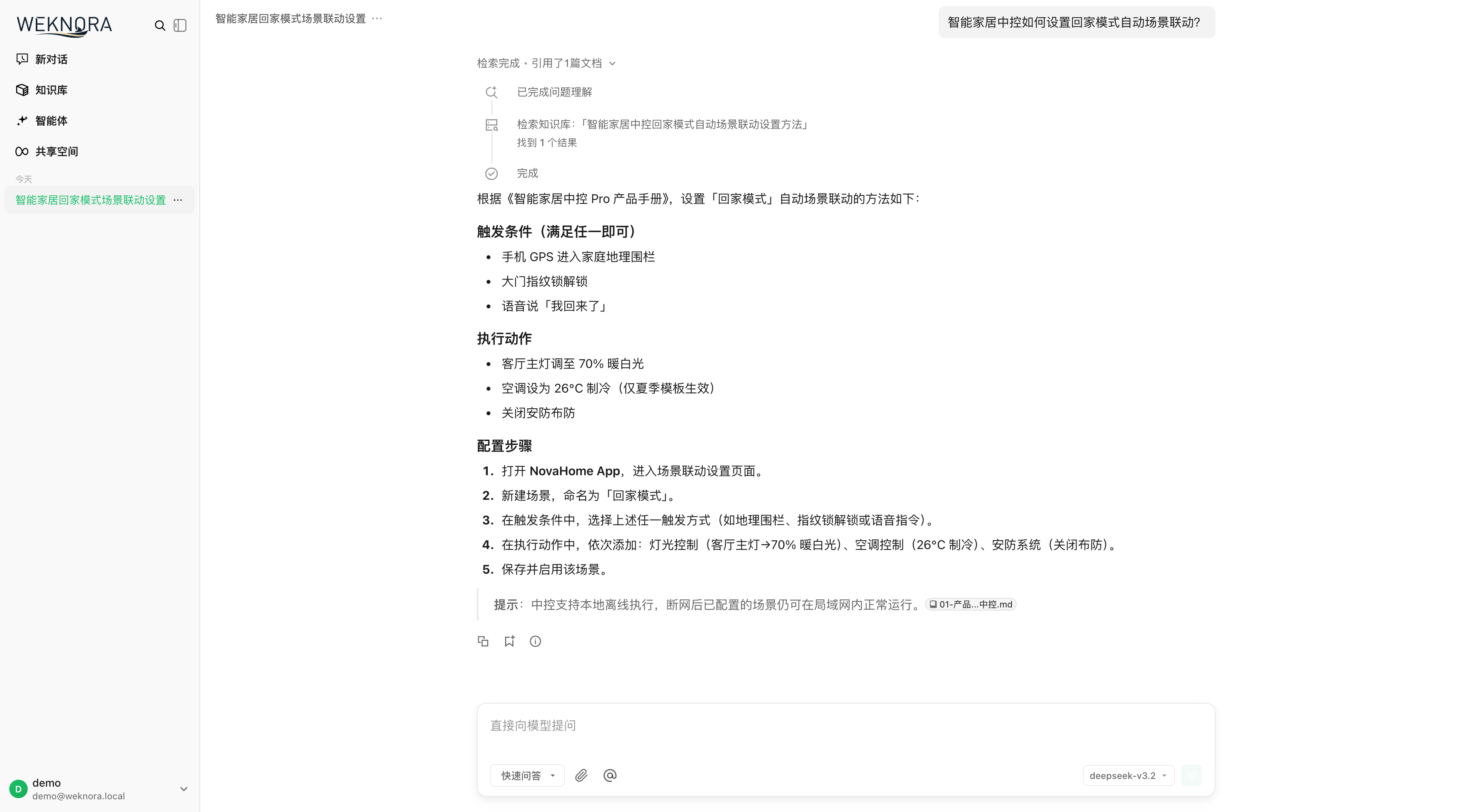
If the answer shows and citations open, ingestion and Q&A succeeded.
Go further
- Configure agents: smart reasoning for multi-step questions, web search, MCP tools.
- Chunking and retrieval.
- Data sources: Feishu, Notion, Yuque, RSS sync.
- IM or web embed.
Same flow via API
Examples in order: register, login, create base, init models, upload, chat. Paths use /api/v1; needs Bash, curl, jq. The account must belong to a workspace; if login has no active_tenant, create or join a workspace and log in again.
BASE=http://localhost:8080/api/v1

# 1) Register (first deploy; username 2–50; password 8–32 with letters and numbers)
curl -s -X POST $BASE/auth/register -H "Content-Type: application/json" \
  -d '{"username":"admin","email":"admin@example.com","password":"pass123456"}'

# 2) Login — save JWT and active workspace ID (for API key creation)
LOGIN_RESPONSE=$(curl -s -X POST $BASE/auth/login -H "Content-Type: application/json" \
  -d '{"email":"admin@example.com","password":"pass123456"}')
TOKEN=$(printf '%s\n' "$LOGIN_RESPONSE" | jq -r '.token')
TENANT_ID=$(printf '%s\n' "$LOGIN_RESPONSE" | jq -r '.active_tenant.id')
AUTH="Authorization: Bearer $TOKEN"

# 3) Create knowledge base
KB_ID=$(curl -s -X POST $BASE/knowledge-bases -H "$AUTH" -H "Content-Type: application/json" \
  -d '{"name":"My knowledge base","description":"demo","type":"document"}' | jq -r '.data.id')

# 4) Initialize (local Ollama example; remote: change source/baseUrl/apiKey)
curl -s -X POST $BASE/initialization/initialize/$KB_ID -H "$AUTH" -H "Content-Type: application/json" -d '{
  "llm":       {"source":"local","modelName":"qwen3:8b"},
  "embedding": {"source":"local","modelName":"bge-m3","dimension":1024},
  "rerank":    {"enabled":false},
  "multimodal":{"enabled":false},
  "documentSplitting":{"chunkSize":512,"chunkOverlap":50,"separators":["\n\n","\n","."]},
  "nodeExtract":{"enabled":false},
  "questionGeneration":{"enabled":false}}'

# 5) Upload (multipart, field name file)
curl -s -X POST $BASE/knowledge-bases/$KB_ID/knowledge/file -H "$AUTH" \
  -F "file=@./demo.pdf"
# Poll: GET /knowledge-bases/$KB_ID/knowledge until parse_status=completed

# 6) Create session
SESSION_ID=$(curl -s -X POST $BASE/sessions -H "$AUTH" -H "Content-Type: application/json" \
  -d '{"title":"First chat"}' | jq -r '.data.id')

# 7) Knowledge chat (SSE stream)
curl -N -X POST $BASE/knowledge-chat/$SESSION_ID -H "$AUTH" -H "Content-Type: application/json" \
  -d '{"query":"What is this document about?","knowledge_base_ids":["'$KB_ID'"]}'

# 7b) Agent chat (SSE; e.g. builtin-smart-reasoning)
curl -N -X POST $BASE/agent-chat/$SESSION_ID -H "$AUTH" -H "Content-Type: application/json" \
  -d '{"query":"Summarize key points with sources","agent_enabled":true,"agent_id":"builtin-smart-reasoning","knowledge_base_ids":["'$KB_ID'"]}'

# 8) Search only (JSON)
curl -s -X POST $BASE/knowledge-search -H "$AUTH" -H "Content-Type: application/json" \
  -d '{"query":"keyword","knowledge_base_ids":["'$KB_ID'"]}'
Chat bodies also support knowledge_ids, web_search_enabled, summary_model_id, mcp_service_ids, skill_names, images / attachment_uploads—see API: sessions and chat.
Three authentication modes
| Mode | Header | Use |
|---|---|---|
| JWT | Authorization: Bearer <token> | Browser / interactive, from login |
| API Key | X-API-Key: <key> | Server integration; create under workspace settings or POST /api/v1/tenants/:id/api-keys with capabilities (retrieve/chat/ingest/manage_kbs, etc.) |
| Explicit workspace | X-Tenant-ID: <id> | Switch workspace for multi-tenant users |
For server integration, prefer API keys over JWT:
# Create API key as workspace Owner (TENANT_ID from login)
curl -s -X POST $BASE/tenants/$TENANT_ID/api-keys -H "$AUTH" -H "Content-Type: application/json" \
  -d '{"name":"ci-bot","full_access":true}'
# Then:
curl -s $BASE/knowledge-bases -H "X-API-Key: <key from create response>"
Init wizard endpoints
Each wizard step has an API for custom admin UIs:
| Step | Endpoint | Notes |
|---|---|---|
| Read config | GET /api/v1/initialization/config/:kbId | llm, embedding, rerank, multimodal, documentSplitting, nodeExtract, questionGeneration, hasFiles (limits embedding change when files exist) |
| Ollama | GET /api/v1/initialization/ollama/status, GET /api/v1/initialization/ollama/models | Availability and installed models |
| Download Ollama model | POST /api/v1/initialization/ollama/models/download → GET /api/v1/initialization/ollama/download/progress/:taskId | Async download + poll |
| Test remote models | POST /api/v1/initialization/remote/check, /initialization/embedding/test, /initialization/rerank/check, /initialization/asr/check, /initialization/multimodal/test | Pre-save connectivity |
| Graph trial extract | POST /api/v1/initialization/extract/text-relation (with fabri-text / fabri-tag sample) | Preview entities/relations |
| Save | POST /api/v1/initialization/initialize/:kbId (first) / PUT /api/v1/initialization/config/:kbId (update) | Creates/updates Model records and KnowledgeBase config |
source is local (Ollama) or a remote provider id (openai, deepseek, aliyun, zhipu, siliconflow, etc.). Valid chunkSize: 100–10000.
End-to-end sequence
Stuck?
| Symptom | What to check |
|---|---|
Upload stuck in processing | docker logs WeKnora-docreader; limits MAX_FILE_SIZE_MB (default 50), WEKNORA_DOCUMENT_PROCESS_TIMEOUT (default 2h) |
| Ollama check fails at init | Container default http://host.docker.internal:11434 (OLLAMA_BASE_URL); on Linux confirm extra_hosts: host.docker.internal:host-gateway |
| No citations / empty recall | Parse completed; lower vector_threshold; embedding matches indexing |
| Register tab missing | GET /auth/config → registration_mode (may come from DB in Settings → System, not only DISABLE_REGISTRATION) |
| API Key 403 | Key capabilities or knowledge_base_ids whitelist |
Next: Configuration for tuning, Architecture overview for how the system works.